

Dark Aura APK 9.8 (Free Fire)
Advertisement
Dark Aura APK is a lightweight Android tool that gives Free Fire players full control over their HUD layout, sensitivity, and device performance. Customize your gameplay experience with precision aiming, FPS boosts, and fast profile switching—all without rooting your device. Designed for smoother matches, sharper reactions, and total control, Dark Aura is trusted by thousands of competitive mobile gamers worldwide.
Information of Dark Aura
| Name | Dark Aura |
|---|---|
| Updated | |
| Compatible with | Android 5.0+ |
| Last version | 9.8 |
| Size | 5 MB |
| Category | Tools |
| Developer | Painel Dark Aura Inc |
| Price | Free |
| MOD | Free Fire |
About Dark Aura
Dark Aura APK – Unlock Peak Control & Boost FPS Today
In the world of mobile shooters, milliseconds matter. A slight delay in aiming, an unresponsive swipe, or a poorly placed HUD button can cost you the match. That’s why Dark Aura APK is rapidly becoming a must-have tool for Free Fire players seeking more precise control, smoother frame rates, and better overall performance—without needing root access or device modification.
Whether you're tired of dropped frames on your mid-range device or frustrated with inconsistent aim, Dark Aura offers a fast, lightweight, and fully customizable solution. This guide gives you a complete breakdown of what Dark Aura APK is, how it works, and how to make the most of it in your own Free Fire sessions.
What is Dark Aura APK?
Before diving into features and performance, let’s take a moment to understand what exactly this app brings to the table.
Dark Aura APK is an Android utility designed to improve gaming precision and responsiveness for Free Fire players. Instead of modifying game data, it operates as an external performance assistant, giving you powerful tools to adjust sensitivity, button layouts, and device optimization settings—all without violating fair play standards.
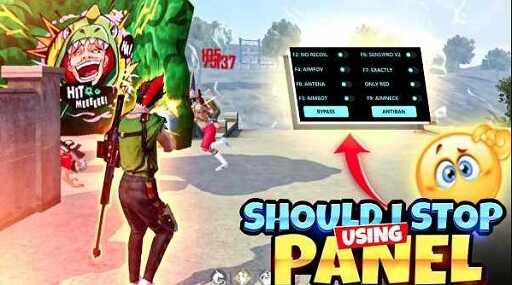
Created by Painel Dark Aura Inc., the app quickly found a loyal user base in competitive Free Fire regions such as Southeast Asia, Latin America, and India. It’s particularly popular among players who want more out of their devices but can’t afford to upgrade to high-end smartphones.
Why is it needed? Because default game controls aren’t one-size-fits-all. Everyone has different hand sizes, swipe speeds, and device limitations. Dark Aura helps bridge the gap between your play style and your phone’s capabilities, empowering you to play smoother, faster, and with more control—regardless of hardware.
Top Features of Dark Aura APK
To understand why this app works so well, we need to look closely at the features that set it apart. Dark Aura is not bloated with gimmicks. It focuses on giving Free Fire players the exact tools they need to compete and win. Let’s explore them below.
Drag-and-Drop HUD Editor
One of the most immediate ways to improve your gameplay is by customizing your HUD layout. With Dark Aura’s drag-and-drop editor, you can:
-
Move every button (fire, aim, crouch, reload, etc.) to any part of the screen
-
Resize and adjust transparency of buttons
-
Create a layout that fits your grip and play style
Why does this matter? Because poorly positioned buttons lead to delayed reactions and finger confusion—especially in high-stress moments. Customizing the layout to your muscle memory creates a faster, more natural reaction time.
Aim Sensitivity Calibration Tool
Sensitivity is personal. What works for one player can completely ruin another’s aim. That’s why this tool is so valuable—it lets you fine-tune every sensitivity parameter:
-
Swipe Speed – Adjust camera panning velocity based on your swipe length.
-
Vertical & Horizontal Recoil Control – Create smooth tracking or snappy recoil pulls.
-
Mode-Based Presets – Use different settings for sniper rifles, SMGs, or ARs.
Instead of struggling with in-game sensitivity sliders that feel disconnected, you get granular control and a real sense of feedback.
FPS Booster & Background Optimizer
Nothing ruins a headshot moment faster than an unexpected frame drop. Dark Aura helps prevent that by automatically optimizing your device:
-
Suspends background apps
-
Clears RAM intelligently
-
Limits unnecessary CPU load
If you’re playing on a 3–4 GB RAM device, this feature alone can significantly boost your FPS stability. You won’t have to restart your phone or close apps manually before each match—Dark Aura does the heavy lifting.
Quick Switch Profiles for Game Modes
Free Fire has multiple game modes, each demanding a different approach. The sensitivity and control layout you use in Battle Royale might not work well in Clash Squad. Dark Aura lets you:
-
Save different profiles for each mode
-
Load a profile with one tap
-
Reduce pre-match setup time
It’s not just a convenience feature—it’s a competitive advantage. You enter each game already configured to perform at your best.
Advertisement
Advertisement
Lightweight, No Root, 100% Safe
The app weighs less than 5MB and installs in seconds. No root access is needed, which means:
-
It won’t void your device warranty
-
It doesn’t expose your phone to security risks
-
It doesn’t interfere with system files or Free Fire’s internal data
This lightweight design ensures compatibility across a wide range of Android devices, from budget phones to flagship models.
Offline Configuration & Auto-Save
Once you’ve customized your settings, you don’t need to worry about losing them. Even if you play offline or restart your phone, your configurations are saved locally and auto-loaded the next time you open the app.

This is especially useful for players in regions with unstable internet access, or for those who prefer offline fine-tuning before going into competitive matches.
How Dark Aura Enhances Your Gameplay
So, the app has solid features—but what does that mean for your actual performance in the game? Let’s break it down.
After installing Dark Aura and setting up your profiles, users typically report benefits in the following areas:
1. Precision Headshots Made Easy
With optimized sensitivity curves and personalized HUD layouts, your hand movements become more instinctive. You swipe with accuracy, tap with confidence, and land more headshots as a result. The difference is noticeable from the very first match.
2. Smooth Gameplay on Mid-Range Devices
Most optimization tools focus on high-end phones, but Dark Aura is built with mid-range users in mind. Its background process manager and RAM cleaner work quietly but effectively, keeping your gameplay smooth during heavy action scenes or when moving between zones.
3. Adaptive Layouts for Every Player Style
Whether you play two-finger claw, four-finger grip, or use a controller-like setup, Dark Aura supports you. You’re not stuck with rigid layouts or one-speed-fits-all settings.
This flexibility helps casual players become more competitive—and helps competitive players sharpen their edge.
4. Improved Reaction Time
Small delays in touch response can result in missed kills. With fewer background processes and better control mapping, your reaction time improves. There’s less lag between finger and result, which is especially important in close-quarters combat.
Real Performance Results & Community Feedback
It’s one thing to list features. It’s another to see how they perform in real conditions. That’s where real-world feedback and data speak volumes.
Dark Aura APK has been downloaded over 9,658 times, with an average user rating of 4.3 stars from more than 6,500 players—a strong signal that the app delivers on its promise.
Here’s what users are reporting:
-
Up to 30% improvement in headshot accuracy, especially after using sensitivity calibration.
-
Up to 40% reduction in lag and frame drops on devices with 4GB of RAM or less.
-
Improved responsiveness in both low-end and mid-range smartphones.
-
Noticeable difference in aim fluidity and custom comfort, particularly among players who had previously struggled with rigid HUDs.
Many users describe Dark Aura as the missing element in their mobile gaming experience. One testimonial reads:
“After switching to Dark Aura, my HUD finally feels like it’s mine. I land more shots, my movements feel smoother, and I don’t get random FPS drops mid-fight. I didn’t change my phone. I just changed how it works for me.”
Others praise the simplicity of the interface and how fast it is to create and switch between control profiles.
Dark Aura isn’t a gimmick. It’s a performance tool—backed by numbers and validated by experience.
How to Download & Set Up Dark Aura APK
If you’re ready to unlock better control and smoother gameplay, setting up Dark Aura APK only takes a few minutes. Here's a simple guide to help you get started safely and correctly.
Step 1: Enable Unknown Sources
Because Dark Aura isn’t distributed via Google Play, your Android device needs permission to install APK files from other sources.
To enable this:
-
Go to Settings > Security
-
Toggle on Install from Unknown Sources
-
Confirm if prompted
This setting allows you to manually install APK files, which is common for custom utilities and optimization tools.
Advertisement
Step 2: Download the APK File
Next, download the latest version of the app:
-
Look for Dark Aura APK v3.0 (approx. 5MB) from a trusted, malware-free mirror or the developer's official distribution channel.
-
Avoid sketchy websites or shortened links. Stick to APK sources with a good reputation in the mobile gaming community.

Step 3: Install the APK
Once the file is downloaded:
-
Open your File Manager or notification bar
-
Tap on the downloaded file
-
Follow the installation prompt
-
Wait a few seconds for the install to complete
The process is safe and should take less than 30 seconds.
Step 4: Launch and Customize
Open the Dark Aura app once installed. You’ll be greeted with a simple dashboard where you can:
-
Start creating HUD layouts by dragging and resizing buttons
-
Adjust sensitivity settings for different guns or modes
-
Enable FPS optimization options (auto-clean, memory boost)
-
Save and label your configuration profiles
The app saves your changes automatically, so you can test them in-game without starting from scratch.
Once everything’s set, launch Free Fire—and experience the difference.
Pro Tips to Maximize Results with Dark Aura
You’ve installed the app and set up your profiles. Now what? Here are some practical, field-tested tips to help you get the most out of Dark Aura APK.
1. Backup Your Profiles
If you find a setup that works exceptionally well, back it up manually (copy folder or screenshot settings). This is especially useful when updating the app or switching phones.
2. Use Training Mode to Fine-Tune
Before heading into ranked or tournament matches, use Free Fire’s training room. Test out your adjusted swipe speed, button placements, and recoil tracking in a controlled environment.
This gives you confidence—and reveals anything that still feels “off.”
3. Separate Profiles for Game Modes
Free Fire modes are different beasts. Clash Squad demands aggressive, fast reflexes. Battle Royale rewards long-term planning and mid-range fights.
Create mode-specific layouts and sensitivities:
-
Close-range: larger fire button, faster aim speed
-
Long-range: smaller HUD, tighter vertical sensitivity
Switching between them with Dark Aura’s Quick Profile Loader saves you time—and gives you a tactical advantage.
4. Don’t Rush Sensitivity Changes
One common mistake is tweaking too many settings at once. Instead:
-
Change one setting at a time (e.g., just horizontal swipe)
-
Test it over 2–3 matches
-
Observe improvement or decline
This method helps isolate what truly works for you, instead of chasing “perfect” numbers.
5. Reinstall After Major Free Fire Updates
While Dark Aura is stable, major Free Fire patches may change how device memory or inputs are handled. Reinstalling ensures maximum compatibility and clears out potential conflicts or legacy settings.
Doing this takes less than a minute—and can save hours of frustration.
Final Verdict – Is Dark Aura APK Worth It?
You don’t need a high-end phone to play like a pro. What you need is control—real, responsive, personalized control. That’s exactly what Dark Aura APK gives you.
It doesn’t rely on tricks or system-level manipulation. It helps you optimize what you already have. With under 5MB of data and zero risk to your device, it’s a tool that punches way above its weight.
Why it stands out:
-
Tailored HUD customization for any playstyle
-
Sensitivity tuning that works with you, not against you
-
Noticeable FPS improvement on lower-end phones
-
No rooting, no risk, and easy installation
-
Built specifically for Free Fire players who want an edge
If you're serious about improving your Free Fire experience—from smoother aim to fewer frame drops—this app is worth a spot on your home screen.
Ready to take control of your game?
Download Dark Aura APK now and feel the performance shift in your very first match.
FAQs Dark Aura
Dark Aura APK is a lightweight Android tool that helps Free Fire players improve performance by customizing sensitivity settings, HUD layout, and boosting FPS. It enhances aiming precision, reduces lag, and enables quick profile switching for different game modes.
Yes, Dark Aura APK is 100% safe. It doesn’t require root access and doesn’t modify game files. The app only provides external control customization and performance enhancements, making it secure for competitive play.
Absolutely. Dark Aura APK works without root and is compatible with most Android devices. Its lightweight design ensures smooth operation, even on smartphones with limited RAM or older chipsets.
To install Dark Aura APK, enable "Unknown Sources" in your phone’s settings, download the latest APK version from a trusted source, and follow the on-screen prompts. Once installed, you can adjust sensitivity, HUD, and performance settings instantly.
Yes. Many users report up to 40% fewer frame drops on mid-range devices. Dark Aura suspends background processes and optimizes memory, which helps Free Fire run more smoothly, especially during high-action gameplay.





Share Your Thoughts